The Hidden Cost of Alert Fatigue
Most mid-sized companies face a critical bottleneck: their IT teams are overwhelmed by data. Traditional logging systems generate thousands of independent events per day. When a server fails, it triggers disk errors, CPU spikes, and application timeouts as separate alerts. This fragmentation forces engineers to manually connect the dots.
The result is a high Mean Time to Resolution (MTTR), where valuable hours are lost to diagnosis rather than fixing. For business leaders, this translates directly into lost productivity and increased operational risk. Reducing MTTR is not just an IT metric; it is a strategic lever for business continuity. The solution lies in shifting from raw event logging to correlated event logging. This approach groups related signals into single, actionable incidents.
Defining Correlated Event Logging
Correlated event logging is a method that uses logic and topology to link disparate log entries. Instead of treating every log line as an isolated incident, the system analyzes relationships between events. It identifies which components depend on each other and which errors are symptoms of a single root cause.
Think of it as the difference between hearing ten different alarms in a building versus one master alarm that tells you exactly which floor is on fire. The technology relies on three key pillars:
- Topology Mapping: Understanding how servers, applications, and users interact.
- Temporal Correlation: Grouping events that occur within a specific time window.
- Causal Logic: Distinguishing between the root cause and the resulting effects.
Implementation Roadmap
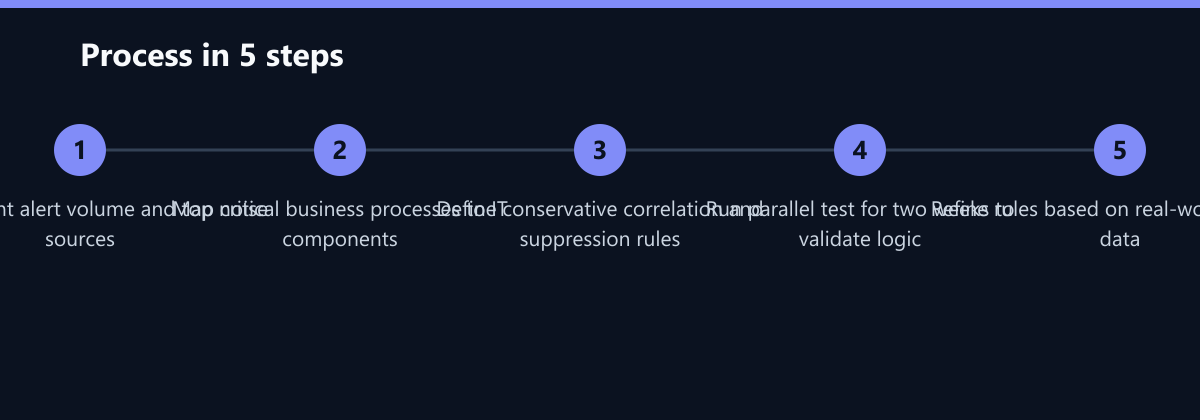
Implementing this strategy does not require a complete overhaul of your IT infrastructure. You can achieve significant MTTR reductions in four focused steps.
- Audit Current Alert Volume: Measure how many alerts your team receives per day. Identify the top ten sources of noise. These are your primary targets for correlation.
- Map Critical Business Processes: Define which IT components support your most critical revenue streams. For example, link your web server logs directly to your database performance metrics. If the database slows down, the web server errors are secondary.
- Define Correlation Rules: Create rules that suppress dependent alerts. If a parent service fails, do not alert on the child services. Use predefined patterns to group common failure scenarios, such as network latency causing multiple application timeouts.
- Test and Refine: Run the new logic in parallel with your existing system for two weeks. Measure the reduction in alert volume and the accuracy of the root cause identification. Adjust rules based on real-world data.
Quantifying the 50% MTTR Reduction
How does correlation specifically lead to a 50% reduction in resolution time? The math is straightforward when you break down the incident lifecycle. In a typical incident, 60-70% of the time is spent on triage and diagnosis. Only 30-40% is spent on the actual fix. By providing a clear root cause immediately, you eliminate the majority of the triage phase.
Consider a standard outage scenario:
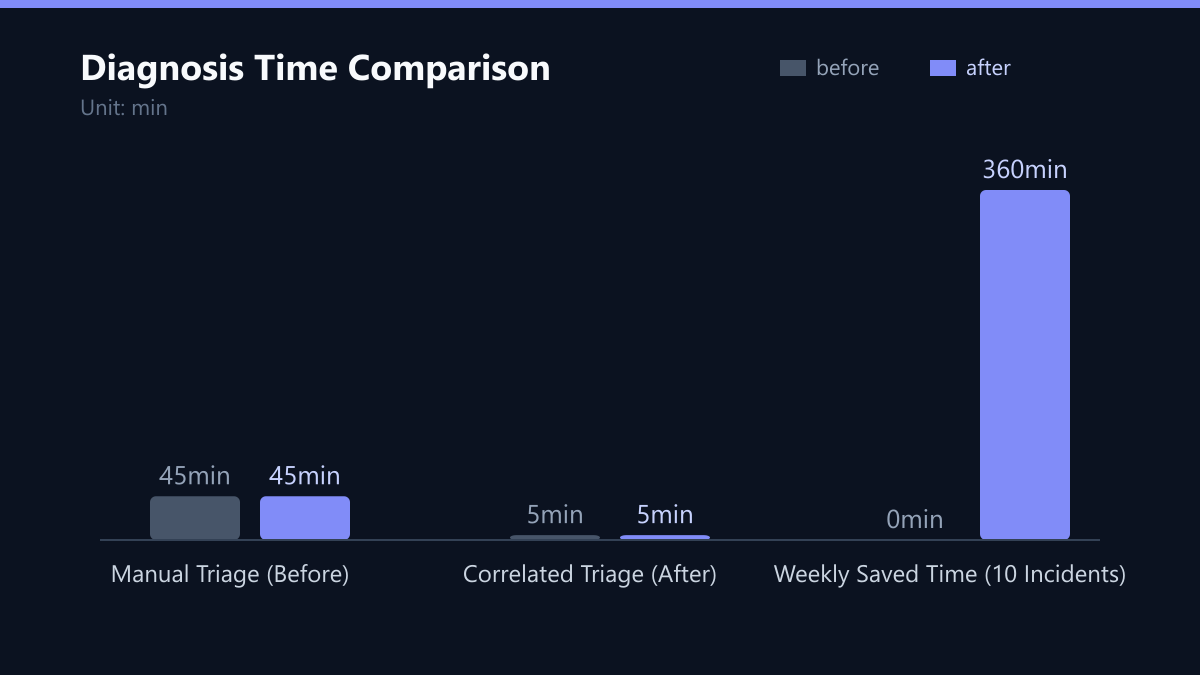
- Without Correlation: An engineer receives 50 alerts. They spend 45 minutes checking each server individually. They finally identify the root cause: a failed network switch. Total diagnosis time: 45 minutes.
- With Correlation: The engineer receives one incident ticket labeled “Network Switch Failure.” The ticket includes links to the affected servers and the specific error logs. They verify the switch status and replace it. Total diagnosis time: 5 minutes.
This reduction in diagnosis time compounds across every incident. For a team handling 10 incidents a week, this saves over 6 hours of productive work weekly. That time is redirected to proactive maintenance and strategic projects.
Strategic Impact on Business Operations
The benefits of reduced MTTR extend beyond the IT department. For business owners and department heads, faster resolution means less disruption to daily operations. When your CRM, ERP, or e-commerce platform goes down, every minute of downtime costs money. Correlated logging minimizes this exposure by ensuring that IT teams fix the problem faster.
Furthermore, it improves team morale and retention. IT professionals often leave due to burnout caused by constant alert noise. By reducing the cognitive load, you create a more sustainable working environment. This is particularly important in the mid-sized market, where IT teams are often lean and cannot afford to lose key personnel.
Key business advantages include:
- Higher SLA Compliance: Faster fixes mean you are less likely to breach service level agreements with internal or external clients.
- Better Resource Allocation: IT staff spend less time on repetitive troubleshooting and more on innovation.
- Improved Customer Experience: End-users experience fewer and shorter outages, leading to higher satisfaction and loyalty.
Typical Mistakes to Avoid
While the benefits are clear, implementation requires care. Here are the most common pitfalls that derail projects:
- Over-Correlation: If your rules are too broad, you may suppress critical alerts that indicate a unique problem. This can hide emerging threats or specific hardware failures. Start with a conservative approach and only correlate events you are certain are related.
- Ignoring Real-Time Requirements: Batch processing is too slow for modern IT environments. You need immediate feedback to benefit from reduced MTTR. Ensure your logging platform supports real-time analysis.
- Lack of Team Trust: Do not ignore the human element. Train your IT team to trust the correlated incidents. If they do not understand the logic behind the grouping, they may ignore the new alerts in favor of old habits. Clear communication and documentation are essential for successful adoption.
How You Measure Success
To ensure your investment in correlated event logging pays off, track these specific KPIs:
- Alert-to-Incident Ratio: Measure the number of raw alerts generated versus the number of distinct incidents created. A successful implementation should show a ratio of at least 10:1 or higher, indicating effective noise reduction.
- Mean Time to Diagnose (MTTD): Track the time from incident detection to root cause identification. This should drop significantly (e.g., from 45 minutes to 5 minutes) as correlation rules mature.
- False Positive Rate: Monitor how often a correlated incident is resolved without any actual action required. A high rate indicates overly aggressive suppression rules that need refinement.
Method: Use your incident management tool to tag incidents with a “Correlated” label. Compare the MTTD of correlated incidents against historical data from uncorrelated periods. Review the ratio weekly to adjust correlation thresholds.
Checklist for Implementation
- Document current average daily alert volume.
- Identify top 10 noise sources in your environment.
- Create a topology map for critical business processes.
- Define initial correlation rules for top noise sources.
- Configure parallel testing environment for two weeks.
- Establish baseline KPIs for MTTD and alert ratio.
- Train IT staff on new incident workflows.
- Review and refine rules after the first month.
FAQ
Does correlated event logging require a complete change of our current monitoring tools?
No, it does not necessarily require a complete replacement. Many modern monitoring and logging platforms have built-in correlation engines or allow you to add them via plugins. If your current system is outdated, upgrading to a platform with native correlation capabilities is recommended, but the primary change is in how you configure your alerting rules and topology maps.
How long does it take to see a measurable reduction in MTTR after implementation?
You can typically see a measurable reduction within the first two to four weeks. The initial setup of correlation rules takes about one to two weeks. After that, the reduction in alert noise and improved diagnosis time becomes immediately apparent in your incident reports. Full optimization may take three to six months as you refine the rules based on actual incident patterns.
Is this strategy suitable for small IT teams with limited resources?
Yes, it is particularly beneficial for small teams. Lean IT departments suffer most from alert fatigue because they have fewer people to cover the volume of alerts. Correlated logging acts as a force multiplier, allowing a small team to manage a larger infrastructure efficiently by focusing only on critical, root-cause incidents.