The Silent Tax on Your Revenue
For mid-market companies, IT is not just a support function; it is the backbone of revenue generation. When your helpdesk fails, your business stops. Many executives overlook IT support until a major outage occurs, but the real damage happens in the daily friction of slow resolutions and poor communication. A bottlenecked helpdesk drains employee productivity and erodes customer trust. It signals that your IT infrastructure is not scaling with your business. This guide identifies five specific signs that your current setup is holding you back and provides concrete steps to fix them, turning IT from a cost center into a growth engine.
Sign 1: High Volume, Low Resolution
If your team is handling hundreds of tickets a month but the average resolution time is increasing, you have a process failure. This usually indicates that your IT team is stuck in reactive mode, constantly putting out fires instead of preventing them. When First Contact Resolution (FCR) is low, users lose confidence in IT. They start working around systems, creating shadow IT risks.
To diagnose this, look for these specific metrics:
- Average Handle Time (AHT): Is it rising over the last quarter?
- First Contact Resolution (FCR): Is it below 60%?
- Ticket Backlog: Is the number of open tickets growing faster than the number of closed ones?
If FCR is below 60%, it means more than 40% of issues require multiple interactions. This is a clear sign of inefficiency. The fix involves implementing tiered support structures and investing in knowledge base automation to resolve common issues instantly. By automating the top 20% of tickets that cause 80% of the workload, you free up your team for complex, value-added work.
Sign 2: The Reactive Trap
A mature IT operation does not wait for a user to complain that the server is down. If your helpdesk is primarily reactive, you are missing critical uptime opportunities. Reactive support is expensive because it often requires emergency overtime and disrupts business hours. Modern IT management relies on proactive monitoring. Your infrastructure should alert you to potential failures before they impact users. Without this, you are flying blind.
To shift from reactive to proactive, you must change your operational baseline:
- Deploy 24/7 IT monitoring tools that track server health, network latency, and application performance.
- Set up automated alerts for thresholds like disk usage, memory consumption, and CPU load.
- Shift your team’s focus from ticket closure to prevention and optimization.
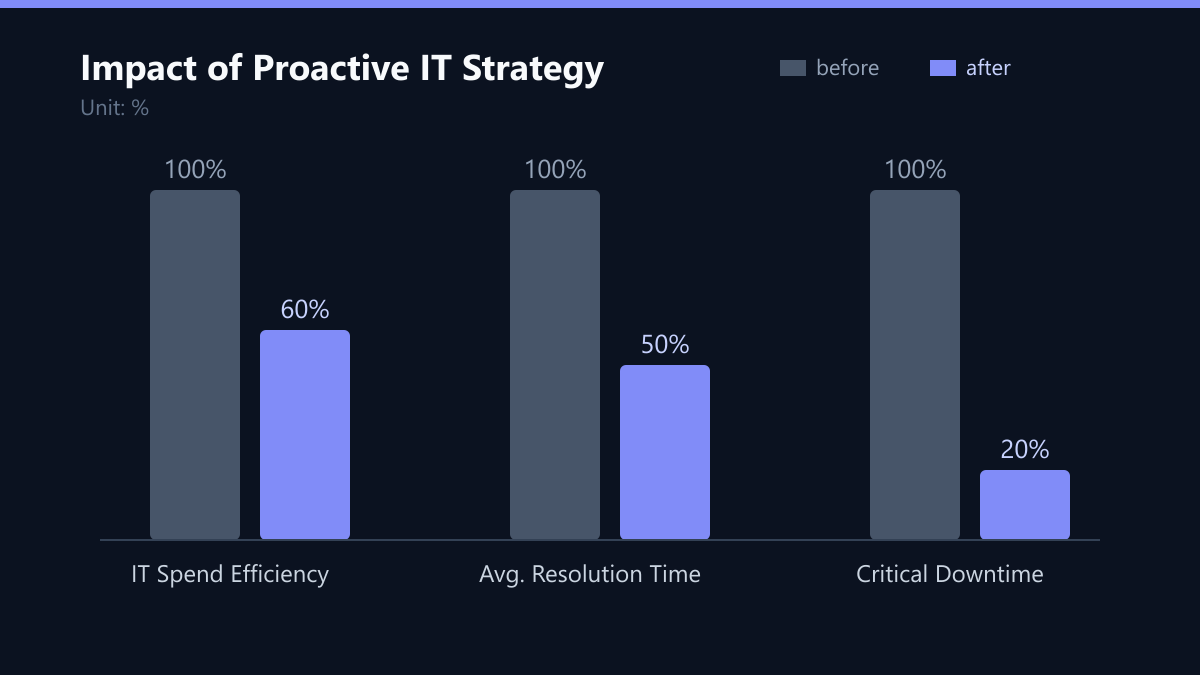
By catching issues before they become incidents, you reduce the total cost of ownership. Proactive strategies involve higher upfront investment in monitoring and automation but reduce total cost of ownership by preventing expensive incidents and optimizing resource usage.
Sign 3: The Black Box Problem
If your department heads and CEO cannot see the status of IT projects or ongoing incidents, you lack governance. Executives need transparency to make informed decisions about budget and strategy. A black-box helpdesk creates anxiety and reduces trust in the IT department. You need a clear line of sight into IT operations. This includes real-time dashboards showing:
- Current Incident Status: What is down, who is working on it, and when will it be fixed?
- Project Roadmap: What upgrades are planned and what is the business impact?
- SLA Compliance: Are you meeting the agreed-upon service levels?
The solution is to implement a managed service provider (MSP) portal or an internal dashboard that provides non-technical stakeholders with a clear, jargon-free view of IT health and progress. This transparency aligns IT goals with business objectives and ensures that IT spending correlates with business value.
Sign 4: Key Person Risk
If only one or two engineers know how to fix specific issues, you have a critical single point of failure. This is common in mid-market companies where IT teams are small. When these key individuals leave or are unavailable, operations grind to a halt. This dependency slows down hiring, increases burnout, and limits your ability to scale. It prevents your business from growing because IT capacity is tied to specific people rather than processes.
To mitigate this risk, you must decouple knowledge from individuals:
- Document all procedures: Ensure every fix is recorded in a central knowledge base.
- Cross-train staff: Ensure at least two people can handle critical systems.
- Outsource specialized tasks: Use external partners for niche areas like cybersecurity or cloud migration to reduce internal burden.
Sign 5: Rising Costs, Stagnant Value
IT spending should correlate with business value. If your IT budget is increasing year over year but you see no improvement in speed, reliability, or security, your spending is inefficient. This often happens when you are paying for unused licenses, redundant tools, or manual labor that could be automated. You are likely overpaying for manual support that should be automated. Every hour spent on routine tasks like password resets or software updates is an hour not spent on strategic initiatives.
Your action plan should include:
- Audit your spend: Review all software licenses and hardware contracts.
- Automate routine tasks: Use scripts and AI-driven tools for patch management, backups, and user provisioning.
- Shift to Managed Services: Move from CapEx (buying hardware) to OpEx (paying for services) to align costs with actual usage and needs.
Implementation Roadmap
Fixing these bottlenecks requires a strategic shift from reactive support to proactive IT management. You do not need to overhaul everything overnight. Start with high-impact, low-effort changes.
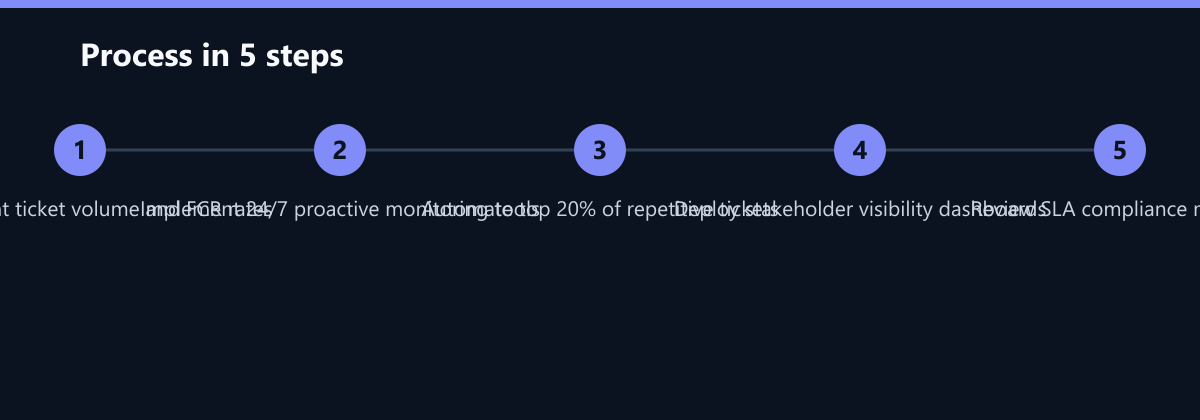
1. Define Clear SLAs: Set measurable targets for response and resolution times. Communicate these to the business so expectations are aligned.
2. Invest in Automation: Automate the top 20% of tickets that cause 80% of the workload. This frees up your team for complex, value-added work.
3. Partner with a Specialist: If internal resources are stretched, consider a managed IT partner. They provide 24/7 coverage, specialized expertise, and scalable resources without the overhead of hiring.
4. Regular Reviews: Hold monthly IT review meetings with stakeholders. Use data to demonstrate ROI and identify new areas for improvement.
Typical Mistakes to Avoid
Even with the right strategy, organizations often stumble during implementation. Avoid these common pitfalls:
- Ignoring the Knowledge Base: Teams often implement ticketing systems but fail to populate the knowledge base. Without documentation, automation is impossible, and new hires struggle to ramp up. Ensure that every resolved ticket contributes to the central knowledge repository.
- Over-Automating Complex Issues: Not every ticket should be automated. Attempting to automate complex, multi-step troubleshooting processes often leads to more errors than it fixes. Focus automation on high-volume, low-complexity tasks like password resets and software installations.
- Neglecting User Feedback: SLAs are useless if users do not understand them. Regularly survey users to understand their pain points. If they perceive IT as slow, even if metrics show otherwise, you have a communication failure. Align internal metrics with user perception.
How You Measure Success
To determine if your helpdesk transformation is working, track these specific KPIs:
- First Contact Resolution (FCR): Target a rate of 70% or higher. Measure this by the percentage of tickets resolved in the first interaction without callback.
- Mean Time to Resolution (MTTR): Track the average time from ticket creation to closure. Aim for a 30% reduction within six months.
- User Satisfaction (CSAT): Conduct post-ticket surveys. A score below 4.0/5.0 indicates a need for process or communication improvements.
- Cost per Ticket: Calculate total IT support costs divided by the number of tickets resolved. This metric should decrease as automation and efficiency improve.
By addressing these five signs, you transform IT from a cost center into a growth engine. Your business will be more resilient, efficient, and ready to scale.