The Evolving Threat Landscape for Managed Servers
Managed server environments are increasingly targeted because they concentrate critical business data, financial records, and intellectual property. Traditional perimeter defenses, such as basic firewalls, are no longer sufficient against sophisticated, multi-vector attacks. Cybercriminals now employ automated scanning tools to identify unpatched vulnerabilities and leverage social engineering to bypass human controls.
The risk is not just theoretical. Ransomware attacks can encrypt critical backups, leading to total data loss. Insider threats, often resulting from excessive access privileges, can exfiltrate sensitive information. Furthermore, outdated software creates open doors for zero-day exploits. Implementing robust security measures is no longer an optional IT task; it is a core business requirement that protects your reputation, ensures data integrity, and prevents costly operational downtime.
Layer 1: Universal Multi-Factor Authentication (MFA)
Single-factor authentication, relying solely on passwords, is inherently fragile. Passwords are susceptible to phishing, keylogging, and credential-stuffing attacks. Multi-Factor Authentication (MFA) adds a critical layer of security by requiring multiple verification methods, such as a password plus a hardware token or a mobile authenticator app.
Why MFA is non-negotiable:
- Prevents unauthorized access: Even if a password is compromised, an attacker cannot gain entry without the second factor.
- Compliance alignment: Regulations like NIS2 and ISO 27001 mandate MFA for handling sensitive data.
- Protects privileged accounts: It is essential for securing root and admin access to server environments.
Deploy MFA for all user accounts, administrative logins, and remote access portals. For the highest level of security, prioritize hardware tokens (such as YubiKeys) over SMS-based codes, which are vulnerable to SIM-swapping attacks. Ensure that MFA is enforced for both interactive logins and API access points.
Layer 2: Rigorous Patch Management and Update Policy
Unpatched systems remain the most common entry point for cybercriminals. Attackers actively scan for known vulnerabilities in operating systems, server software, and third-party applications. A structured patch management process ensures that your infrastructure is always protected against the latest threats.
Best practices for effective patching:
- Automate updates: Use automated tools to apply security patches to servers and applications to reduce human error.
- Test in staging: Validate patches in a non-production environment before deploying to live servers to prevent compatibility issues.
- Prioritize critical updates: Address high-severity vulnerabilities within 24-48 hours to minimize the window of exposure.
Regular patching reduces the attack surface and ensures that your server environment remains resilient against known exploits. Establish a clear SLA for patch deployment, distinguishing between critical security patches and routine feature updates.
Layer 3: Advanced Network Segmentation and Firewalls
Network segmentation isolates critical systems and data from less secure areas of your network. This limits the potential impact of a breach, preventing attackers from moving laterally across your infrastructure. If a single segment is compromised, the threat is contained, protecting other parts of the network.
Benefits of strategic segmentation:
- Containment: Limits the blast radius of an attack.
- Improved performance: Reduces network congestion by isolating traffic flows.
- Enhanced visibility: Makes it easier to monitor and detect anomalous traffic patterns.
Use firewalls and access control lists (ACLs) to define clear boundaries between different network segments. Ensure that only necessary traffic is allowed between segments. For example, database servers should only accept connections from specific application server IPs, and not from the general user network. Regularly review and update these rules to reflect changes in your infrastructure.
Layer 4: Comprehensive Backup and Disaster Recovery
No security measure can guarantee 100% protection against data loss. A robust backup and disaster recovery (DR) plan is your last line of defense against ransomware, hardware failures, and human error. However, traditional backups are often vulnerable to encryption by ransomware.
Essential backup components:
- Regular backups: Perform automated backups of all critical data at defined intervals.
- Offsite storage: Store backups in a geographically separate location to protect against physical disasters.
- Immutable backups: Use write-once-read-many (WORM) storage to prevent ransomware from deleting or encrypting backups.
Test your recovery procedures regularly to ensure that you can restore data and services within your defined Recovery Time Objective (RTO) and Recovery Point Objective (RPO). For instance, if your RTO is 4 hours, your recovery process must be capable of restoring critical services within that timeframe. Regular testing ensures that your backups are not only present but also usable.
Layer 5: Continuous Monitoring and Security Auditing
Security is an ongoing process, not a one-time setup. Continuous monitoring allows you to detect and respond to threats in real-time, minimizing the potential impact of a breach. Implement a Security Information and Event Management (SIEM) system to aggregate and analyze logs from all your servers and network devices.
Key monitoring activities:
- Log analysis: Review server logs, application logs, and network traffic for suspicious activity.
- Vulnerability scanning: Regularly scan your infrastructure for new vulnerabilities and misconfigurations.
- Intrusion detection/prevention systems (IDS/IPS): Deploy tools to identify and block malicious traffic.
A centralized SIEM provides a holistic view of your security posture and enables rapid incident response. Configure alerts for critical events, such as multiple failed login attempts or unusual data exfiltration patterns. This proactive approach allows your team to respond to threats before they escalate into major incidents.
Typical Mistakes to Avoid
- Ignoring third-party applications: Many breaches occur through outdated plugins or CMS extensions. Ensure all third-party software is included in your patch management strategy.
- Over-permissive access rights: Granting excessive privileges to users increases the risk of insider threats. Apply the principle of least privilege, granting users only the access they need to perform their jobs.
- Neglecting backup testing: A backup is only as good as your ability to restore it. Regularly test your recovery procedures to ensure they work as expected. Many organizations discover that their backups are corrupted or incomplete only when they need them most.
- Silent failures in MFA: If MFA is optional or easily bypassed, it provides false security. Ensure MFA is enforced for all critical access points and that users cannot disable it.
How You Measure Success
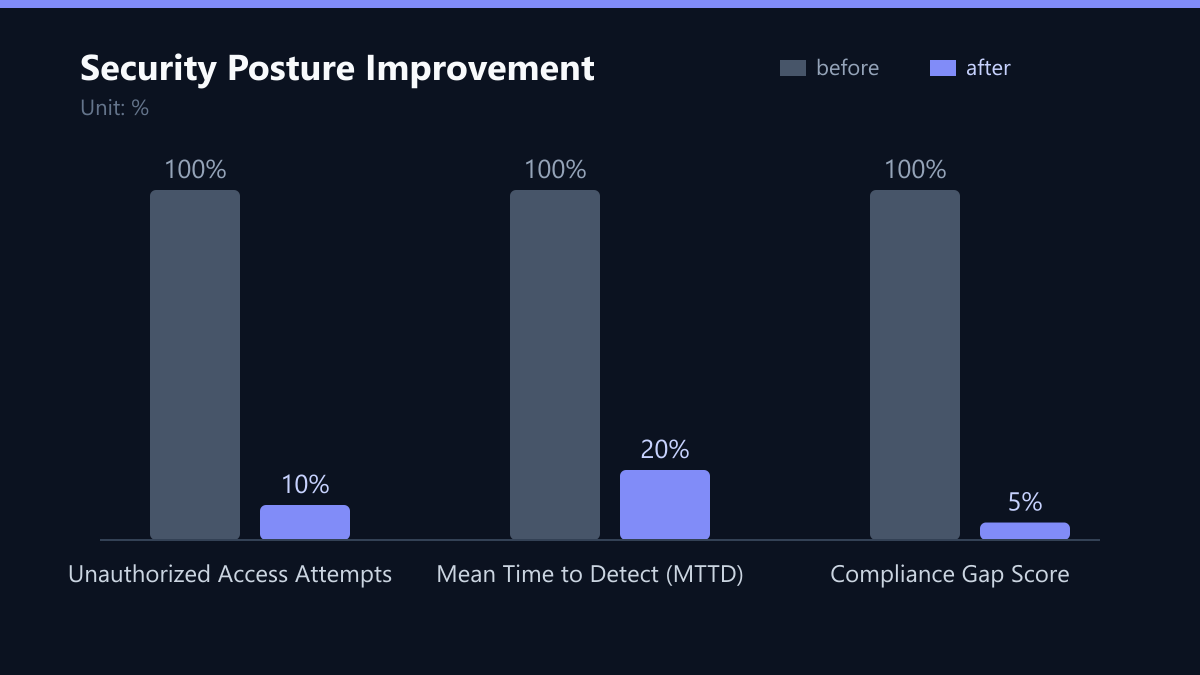
To determine the effectiveness of your security measures, track specific Key Performance Indicators (KPIs):
- Mean Time to Detect (MTTD): The average time it takes to detect a security incident. A lower MTTD indicates better monitoring capabilities.
- Mean Time to Respond (MTTR): The average time it takes to respond to and mitigate a security incident. A lower MTTR indicates a more efficient incident response process.
- Patch Compliance Rate: The percentage of servers that are up-to-date with the latest security patches. Aim for a compliance rate of 95% or higher.
- Number of Unauthorized Access Attempts: Track the number of failed login attempts and other unauthorized access attempts. A decrease in these numbers indicates the effectiveness of your MFA and firewall configurations.
Use these KPIs to identify areas for improvement and to demonstrate the value of your security investments to stakeholders.
Checklist for Implementation
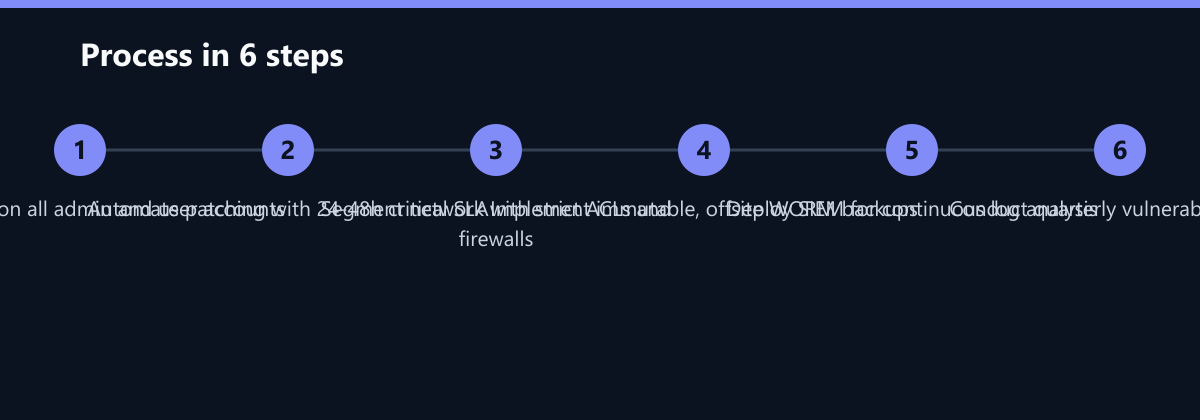
- Audit current access controls: Identify all user accounts and their privileges. Remove unnecessary accounts and apply the principle of least privilege.
- Deploy MFA: Enforce MFA for all administrative and remote access. Use hardware tokens for high-security environments.
- Automate patch management: Implement automated tools to apply security patches. Define SLAs for critical updates (24-48 hours).
- Segment your network: Divide your network into logical segments. Use firewalls and ACLs to control traffic between segments.
- Implement immutable backups: Use WORM storage for backups and store them offsite. Test your recovery procedures regularly.
- Deploy SIEM: Aggregate logs from all servers and network devices. Configure alerts for critical security events.
- Conduct regular vulnerability scans: Use automated tools to scan your infrastructure for vulnerabilities. Address critical findings immediately.
By following these steps, you can significantly reduce your risk of a security breach and ensure that your managed server environment is secure, compliant, and resilient.
Passend dazu
- Managed Security (MSSP)
- Managed Hosting & Server Hosting
- IT Security & Cybersecurity
- Managed IT Services (MSP)
- How to Choose the Right Managed Security Service for DACH and UK Enterprises
- Cisco Meraki vs. Ubiquiti UniFi: Which Cloud-Managed Network Fits Your Budget
- NIS2 Implementation Checklist: The 10 Technical Controls for DACH Critical Infrastructure
- Achieving 99.99 Percent Uptime: Redundant Server Infrastructure for a US Manufacturing Company
- 5 Critical Metrics Every CFO Should Track in Their IT Monitoring Dashboard
- Social Engineering Defense: 5 Practical Drills to Test Your Team’s Resilience
- Why Your Website Is Slow: Diagnosing Database and Server Bottlenecks
- Measuring Security Culture: 5 KPIs to Track Beyond Simple Completion Rates
- Implementing Infrastructure as Code for IT Monitoring