The Silent Drain on Productivity
Manual data entry is often viewed as a necessary evil in mid-sized enterprises. However, it is a silent productivity killer that consumes valuable employee hours and introduces a high risk of human error. These errors do not stay isolated; they cascade through your systems, leading to costly corrections, delayed reports, and frustrated customers. The hidden costs include increased operational expenses due to overtime and rework, slower decision-making caused by delayed data availability, and employee burnout from repetitive, low-value tasks. Addressing these issues requires a structured approach to automation. You must identify where the friction occurs before deploying technology, ensuring that the solution fits your specific operational context.
Bottleneck 1: The Copy-Paste Quagmire
Moving data between spreadsheets, email attachments, and legacy systems is a primary source of delay. Employees spend hours copying and pasting identical fields, such as invoice numbers or client details. This process is not only slow but also prone to missed fields or typos. A single missed digit can invalidate an entire batch of records.
How to automate safely:
- Use Robotic Process Automation (RPA) to mimic human actions across interfaces.
- Implement API integrations to connect applications directly.
- Ensure data mapping is validated before transfer to prevent corruption.
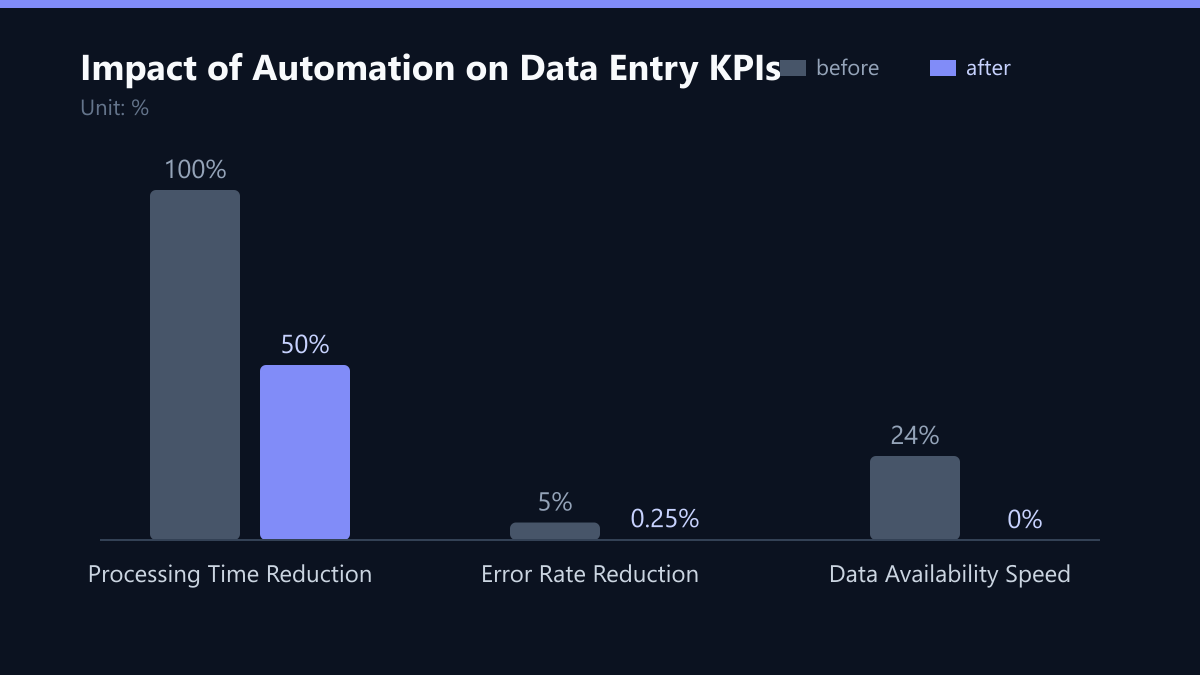
Automation here reduces processing time from hours to minutes. It frees up staff to focus on analysis rather than transcription. For example, a team spending four hours a day on copy-paste tasks can reduce this to fifteen minutes, reclaiming nearly 90% of their time.
Bottleneck 2: The Fragmentation of Data Formats
Different departments often use different formats for dates, currencies, and names. Marketing might use ‘MM/DD/YYYY’ while Finance uses ‘DD.MM.YYYY’. This inconsistency breaks downstream processes like reporting and customer segmentation. Standardizing this data manually is tedious and rarely done consistently. The result is a fragmented view of the business where the same customer has three different identifiers in three different systems.
How to automate safely:
- Deploy data validation rules at the point of entry.
- Use ETL (Extract, Transform, Load) tools to normalize data automatically.
- Establish a central data dictionary that all systems reference.
Consistent data improves the quality of your analytics. It ensures that every department works with the same version of the truth. By enforcing a single standard at the entry point, you prevent the need for costly cleanup efforts later in the data lifecycle.
Bottleneck 3: The Invoice Processing Nightmare
Accounts payable and receivable teams often handle hundreds of invoices manually. Entering line items, tax rates, and payment terms by hand is a major bottleneck. Even a small error in a tax code can lead to compliance issues and financial penalties. The sheer volume of documents makes manual handling unsustainable as the company grows.
How to automate safely:
- Implement OCR (Optical Character Recognition) with AI validation.
- Use three-way matching to verify invoices against purchase orders and goods receipts.
- Set up exception workflows for items that fail automatic validation.
AI-driven document processing can achieve accuracy rates above 95%. It significantly reduces the time spent on invoice reconciliation. Instead of typing every field, the system extracts the data, validates it against existing records, and only flags discrepancies for human review. This shifts the focus from data entry to exception management.
Bottleneck 4: The Lag in Real-Time Visibility
When data entry is manual, there is always a lag between the event and the system update. Managers cannot see current inventory levels or sales figures in real time. This delay hinders agile responses to market changes. A stockout might go unnoticed until it is too late to reorder, or a sales spike might not be visible until the next day’s report.
How to automate safely:
- Connect field devices (like tablets or scanners) directly to your ERP or CRM.
- Use cloud-based synchronization to update records instantly.
- Implement dashboard monitoring for key performance indicators (KPIs).
Real-time data enables faster decision-making. It allows your team to react to supply chain disruptions or sales spikes immediately. By eliminating the manual entry step, the data is available the moment the transaction occurs, providing a live pulse on the business’s health.
Bottleneck 5: Security Risks in Manual Transfer
Manual data entry often involves sharing files via email or unsecured channels. This increases the risk of data breaches and non-compliance with regulations like GDPR or NIS2. Human handling of sensitive data is a significant vulnerability. A misplaced spreadsheet or an email sent to the wrong address can have severe legal and reputational consequences.
How to automate safely:
- Use end-to-end encryption for all data in transit.
- Implement role-based access controls (RBAC) to limit data visibility.
- Maintain an audit trail of all automated data changes.
Secure automation ensures that data integrity is maintained. It provides a clear record of who accessed or modified specific data points, which is crucial for compliance audits. By removing human handling of sensitive files, you significantly reduce the attack surface for data leaks.
Implementation Strategy: A Phased Approach
Automating data entry is not just about buying software. It requires a phased approach to minimize disruption. Start with high-volume, low-complexity processes to build confidence. Involve IT security early to ensure compliance. Do not attempt to automate everything at once; instead, focus on the processes that offer the highest return on investment with the lowest risk.
Steps for successful implementation:
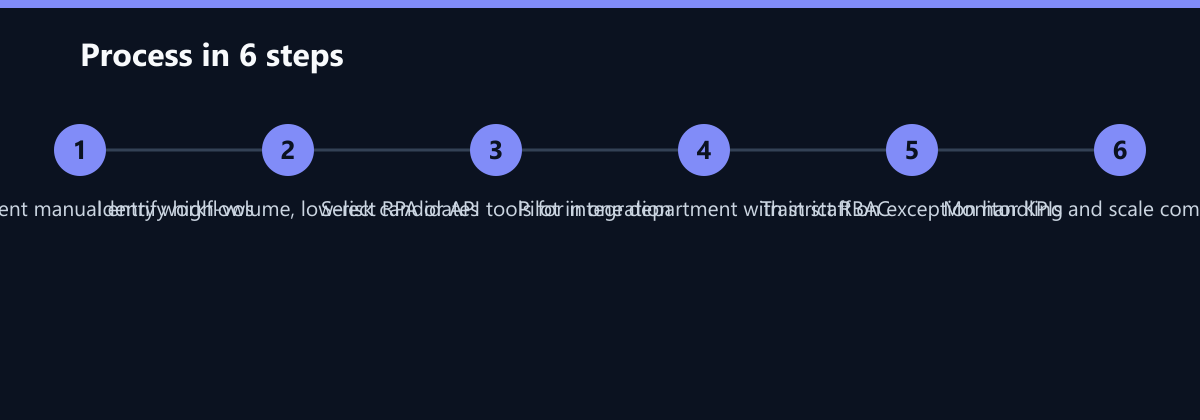
- Audit current processes to identify the highest-impact bottlenecks.
- Select tools that integrate seamlessly with your existing infrastructure.
- Pilot the solution in one department before company-wide rollout.
- Train staff on new workflows and exception handling.
- Monitor performance and adjust rules based on real-world data.
This structured approach ensures that automation enhances efficiency without compromising security. It positions your company for scalable growth, allowing you to handle increased volumes without proportional increases in headcount.
Typical Mistakes to Avoid
- Over-Automation of Complex Logic: Trying to automate highly variable, unstructured processes with simple rules leads to high error rates. Start with structured, repetitive tasks.
- Ignoring Change Management: Failing to train staff on new workflows results in resistance and workarounds. Staff must understand why the change is happening and how to handle exceptions.
- Lack of Security Review: Deploying automation without involving IT security can introduce new vulnerabilities. Ensure encryption, access controls, and audit logs are configured before go-live.
- No Feedback Loop: Not monitoring the automated process after deployment means errors go unnoticed. Establish a feedback mechanism to continuously improve the automation rules.
How You Measure Success
To ensure your automation efforts are delivering value, track the following KPIs:
- Time Saved per Process: Measure the time taken to complete a specific task before and after automation. Aim for a 30-50% reduction.
- Error Rate: Track the number of errors detected post-automation compared to the baseline. A reduction to less than 1% is a strong target.
- Cost per Transaction: Calculate the total cost of processing a single unit (e.g., an invoice) including labor and software costs. This should decrease significantly over time.
- Cycle Time: Measure the time from the start of a process to its completion. Real-time automation should drastically reduce this metric.
Use these metrics to demonstrate ROI to stakeholders and to identify areas for further optimization. Regularly review these KPIs to ensure the automation continues to meet business needs.
Checklist for Safe Automation
- Identify the Top 3 Bottlenecks: Focus on high-volume, repetitive tasks first.
- Define Success Metrics: Set clear KPIs for time, cost, and error reduction.
- Select the Right Tool: Choose RPA for legacy interfaces or APIs for direct system connections.
- Implement Security Controls: Ensure encryption, RBAC, and audit trails are in place.
- Pilot and Test: Run a pilot in a controlled environment to validate the solution.
- Train and Support: Provide comprehensive training and ongoing support for staff.
- Monitor and Optimize: Continuously monitor performance and refine automation rules.
By following this structured approach, you can safely and effectively automate manual data entry, reducing costs, improving accuracy, and freeing your team to focus on higher-value activities.
Passend dazu
- Automated Clinical Data Extraction: Accelerating Trial Preparation by 30% for a Berlin-Based Biotech Startup
- IT Compliance & Data Protection
- IT & Data Recovery (Disaster Recovery)
- Cloud Services & Cloud Migration
- 5 Common Process Bottlenecks: How to Identify Automation Candidates in Finance and Operations
- 5 Critical Performance Bottlenecks in Magento Stores and How to Fix Them
- 5 Common Errors in Legacy Software Cloud Migration and How to Avoid Them
- GDPR Compliance in the Mid-Market: 10 Common Data Processing Errors and Solutions
- Logistics Dispatch Optimization: Cutting Manual Entry Errors by 90% for a European Freight Company
- Building a Secure Azure Landing Zone for Data-Intensive AI Workloads
- The 5 Most Common Ransomware Attack Vectors and How MSSP Services Block Them
- 5 Common AI Pilot Failures and How to Build a Scalable Production Roadmap